

Make short ad and marketing videos from a product photo or a prompt
Start in Marketing Studio with a product photo or a sentence. Make short clips, try a few versions, and keep your product, style and brand pieces together for the next one.
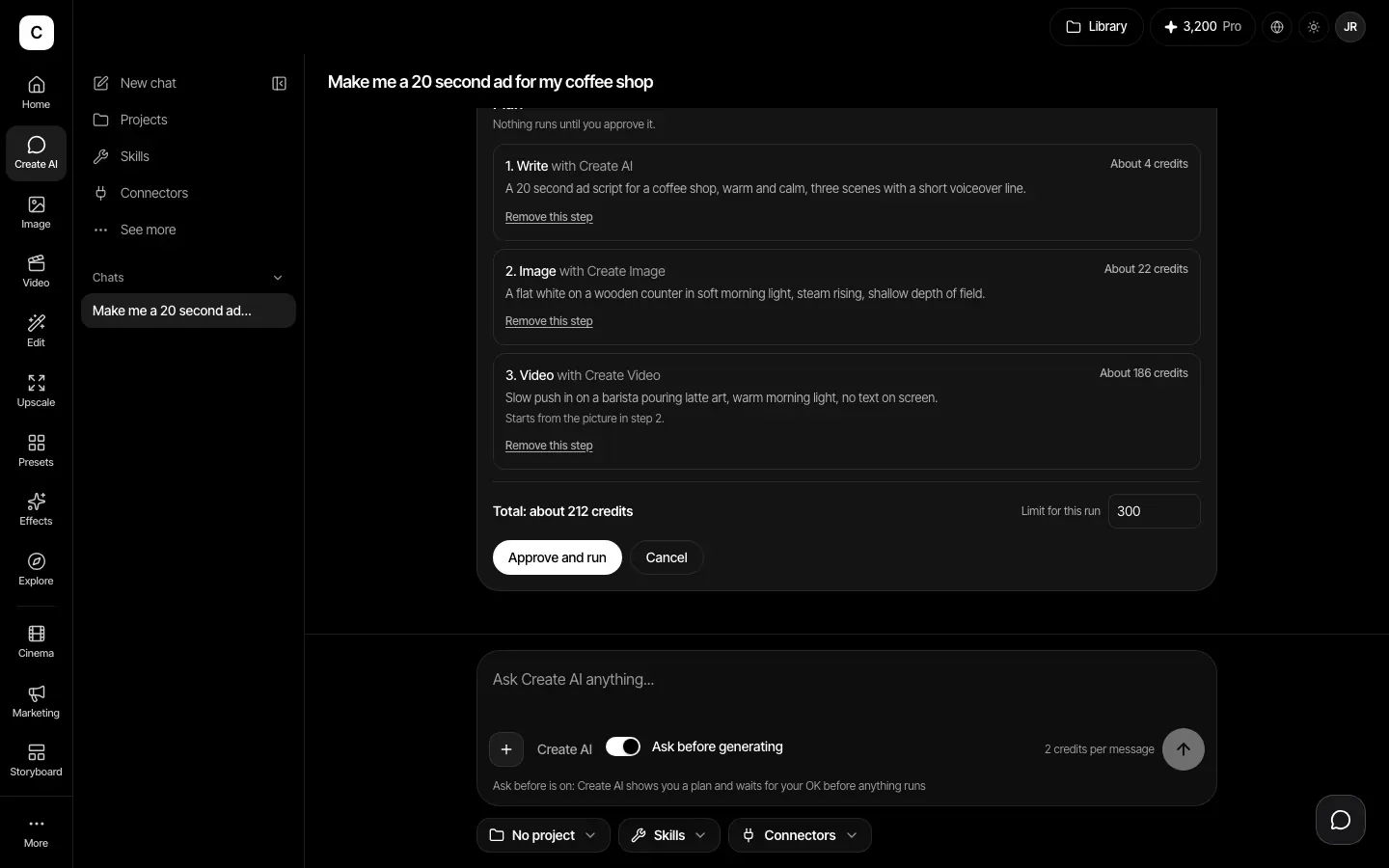
Let Create AI plan it, then approve
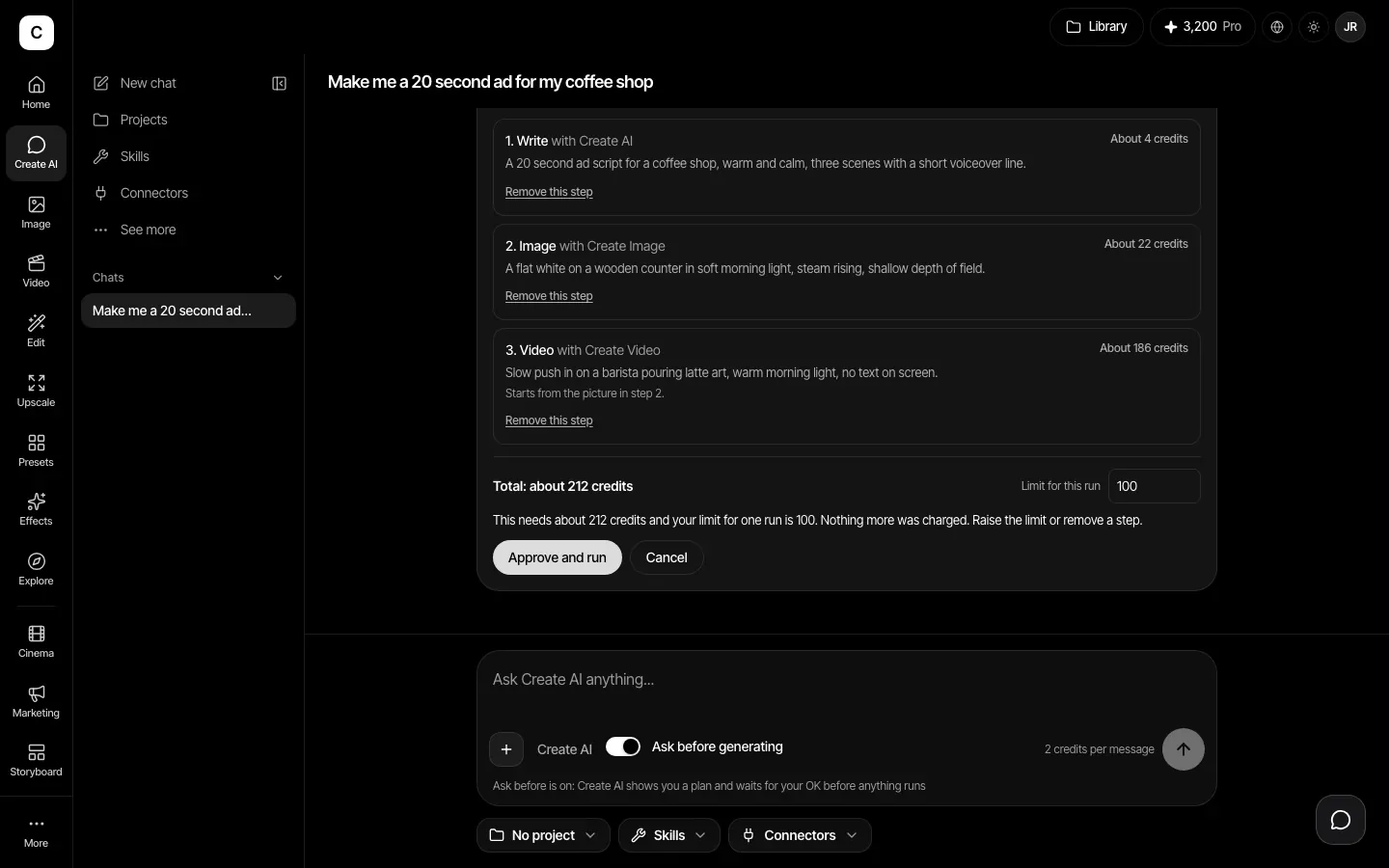
Describe the ad, such as a 20 second spot for a coffee shop. Create AI writes a plan of steps with about what each costs, and runs it only after you approve. You set a credit limit for the run, from 50 to 1,000.
Start from your product
In Marketing Studio, upload one product photo (PNG, JPG or WebP, up to 10 MB) or describe the product in words. Choose a style such as Lifestyle, Flat lay, Hero shot or Unboxing, pick image or video, and make one to four results at once.
Short clips in the shape you need
The Video tool makes short clips from a prompt or a picture. Shape, length and sound depend on the model you pick, with clips from a few seconds up to about 15 seconds. The credit cost shows on the button before you press it.
A film look with Cinema Studio
Choose a film setup, camera move, color palette and lighting, add reference images, and generate. These choices are added to your prompt text, so you can still read and change the words.
Keep your brand pieces together
Save your product, a character or a style in the Assets library, then type @ in a prompt to bring it back in. Reference pictures go in with the prompt each time.
How it works
- Step 1
Start in Marketing Studio
Upload a product photo or describe the product. Pick a style, choose video, and set the shape and how many results to make.
- Step 2
Make and compare clips
Use Video or Cinema Studio to try more versions, or ask Create AI to plan the steps. Check the price, approve, and keep the takes you like.
- Step 3
Finish outside Create
Download your clips and join them in a video editor, where you can add text, a voiceover and a soundtrack.
Plans
Making ads needs a paid plan: Basic, Pro, Max, Business or Enterprise. Every plan comes with monthly credits, and each generation uses some.
Plans start at Basic, $12 a month.
Compare plansLimits, stated plainly
- Create does not join clips into one finished video. Download them and do the final cut in a video editor.
- Marketing Studio cannot import a product from a link or rebuild an existing ad.
- Words inside images and videos may not come out readable. Check every result before you use it.
- Results vary by model and by prompt, so plan to try a few versions.
Frequently asked questions
No. It makes images and short clips. You download the clips you like and join them, add text and finish the cut in a video editor. Create does not stitch clips together.
Under our Terms you may use your output for commercial work, such as marketing, if you follow the Terms and your plan is in good standing. Some model providers add their own rules, so read the Terms.
Each image or clip shows its credit price on the button before you press it. Plans start at Basic with a monthly credit allowance, and a Create AI run never goes past the credit limit you set for it.
No. Marketing Studio starts from a product photo or a description. You can add a reference image and describe what you want, but it does not analyze an existing ad or import a link.