

Save your characters, props and places once, then reuse them
Keep the things you use again and again as named Characters, Props, Environments, Styles and Scenes. Sort them into collections, and bring any of them into a prompt by typing @.
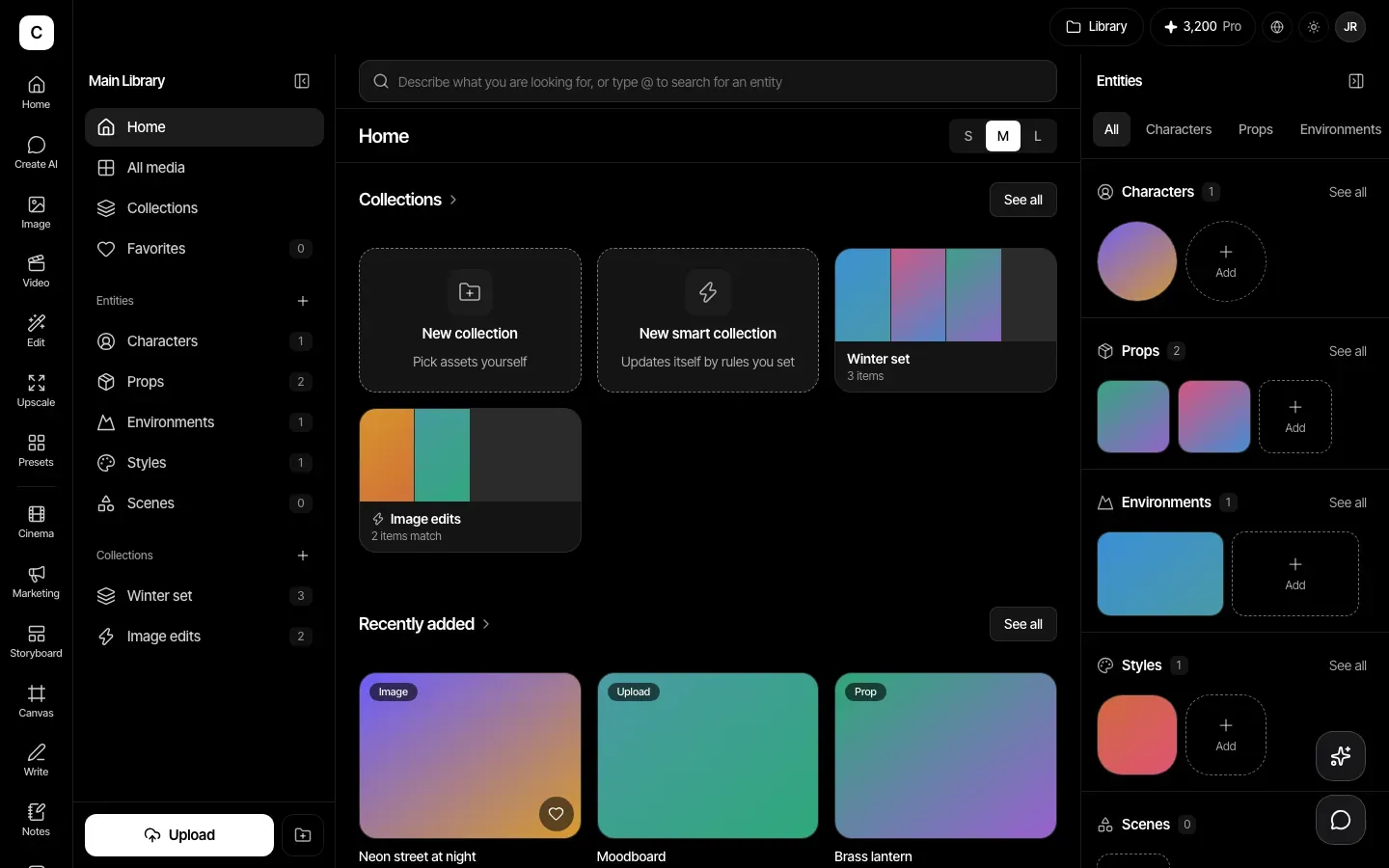
Five kinds of saved thing
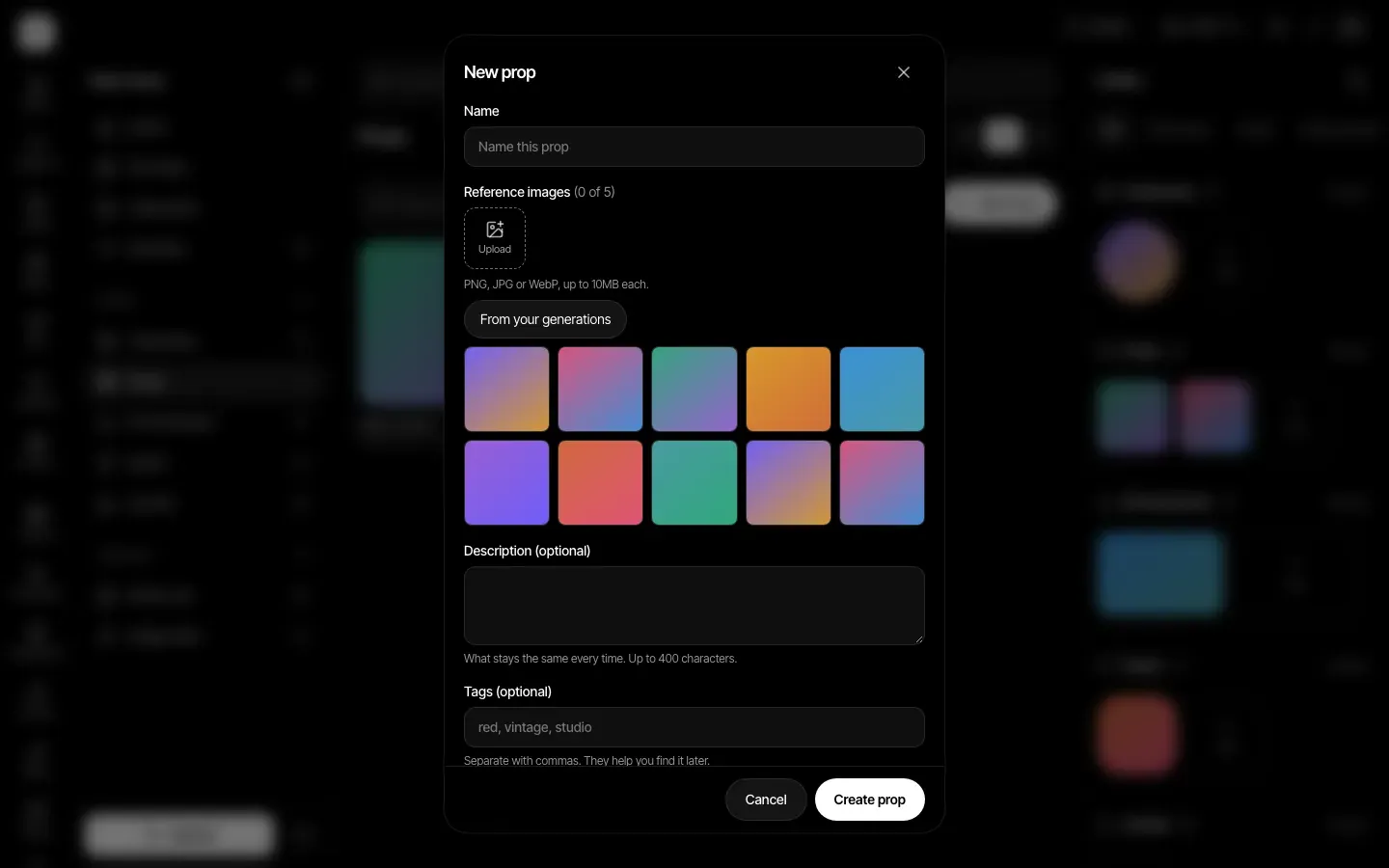
Make a Character, Prop, Environment, Style or Scene from one to five reference images. Add a short note about what must stay the same, and a few tags so you can find it later.
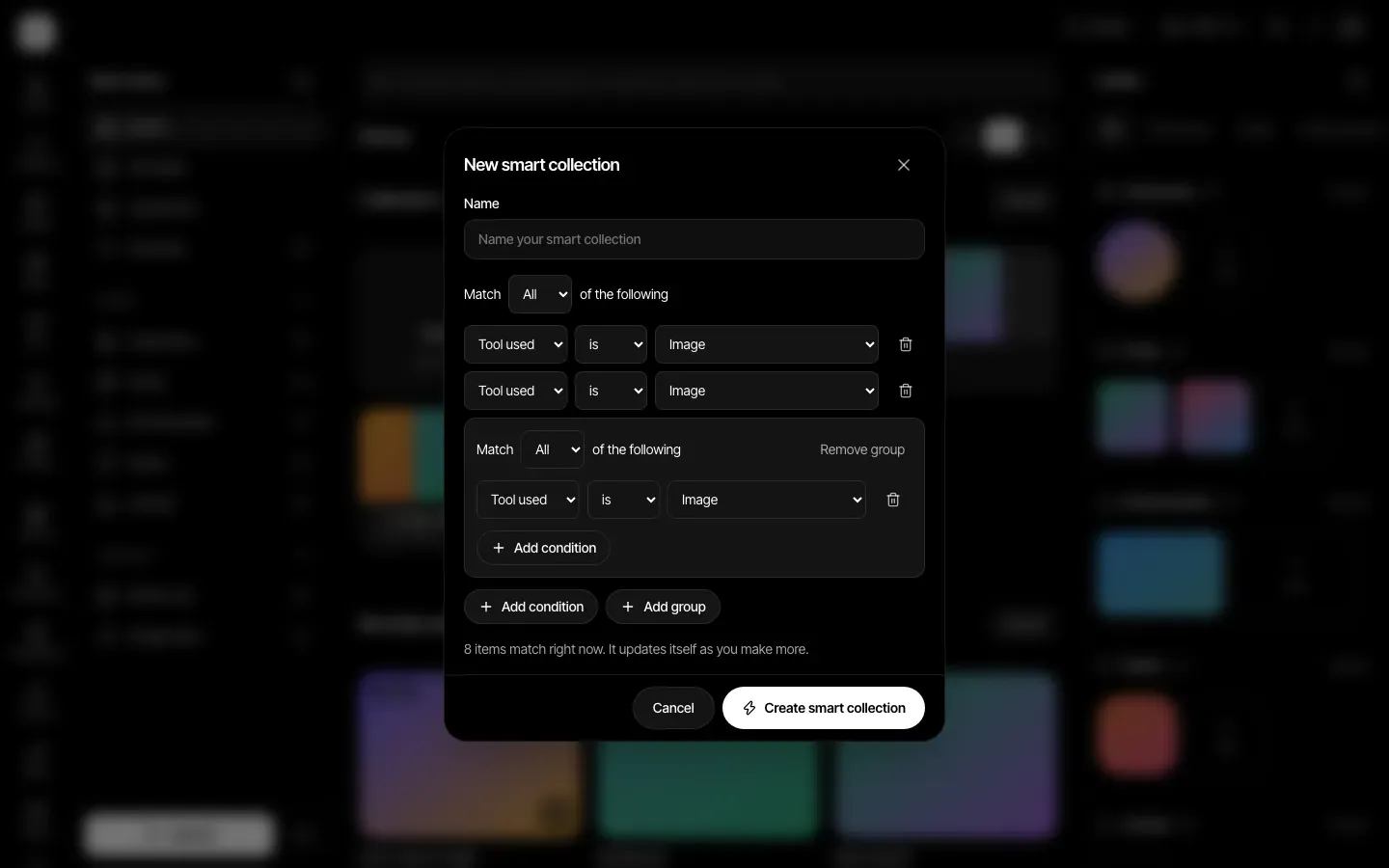
Collections that sort themselves
Put items in a collection by hand, or write a smart collection: a saved rule, such as tool used is Image, that is checked each time you open it. Nothing is copied, so it always shows what matches right now.
Use them with @
Type @ in a prompt and pick a saved thing. Its reference pictures go in with the prompt, and deleting the @name from the text takes it out again. The Film Board uses the same saved things.
Add from an upload or from what you made
Reference images can be uploaded (PNG, JPG or WebP, up to 10 MB each) or picked from your own generations. Search at the top of the Library finds items, and typing @ there searches your saved things.
How it works
- Step 1
Add a saved thing
Open the Library and add a Character, Prop, Environment, Style or Scene with one to five reference images.
- Step 2
Organise
Make a collection and add items, or write a rule for a smart collection and let it fill itself.
- Step 3
Use it
Type @ in a prompt, or point a Film Board shot at it. The saved version is read each time you make something.
Plans
Assets are on every paid plan: Basic, Pro, Max, Business and Enterprise.
Plans start at Basic, $12 a month.
Compare plansLimits, stated plainly
- Up to 500 assets and 50 collections per account, and up to 500 items in one collection.
- A smart collection can have up to 20 conditions in up to 5 groups. It can look at the tool, model, prompt words, tags, favorites, date and kind of saved thing.
- Each saved thing takes one to five reference images and a description of up to 400 characters.