

Build a one-page site or small app by chatting
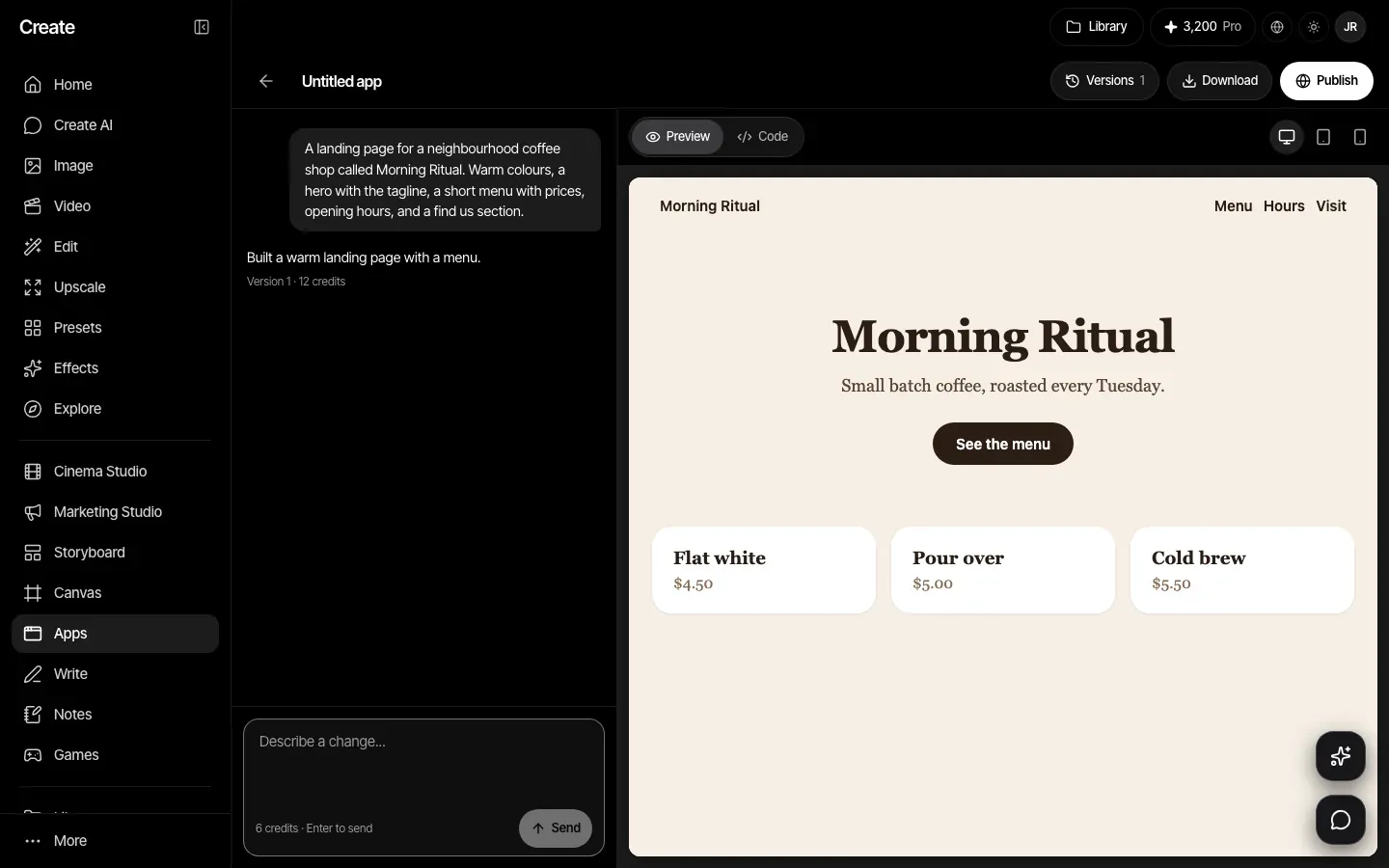
Describe the page you want. Create builds it as a single page, shows a live preview you can click around in, and lets you change it by chatting. Publish it to a link when you are happy.
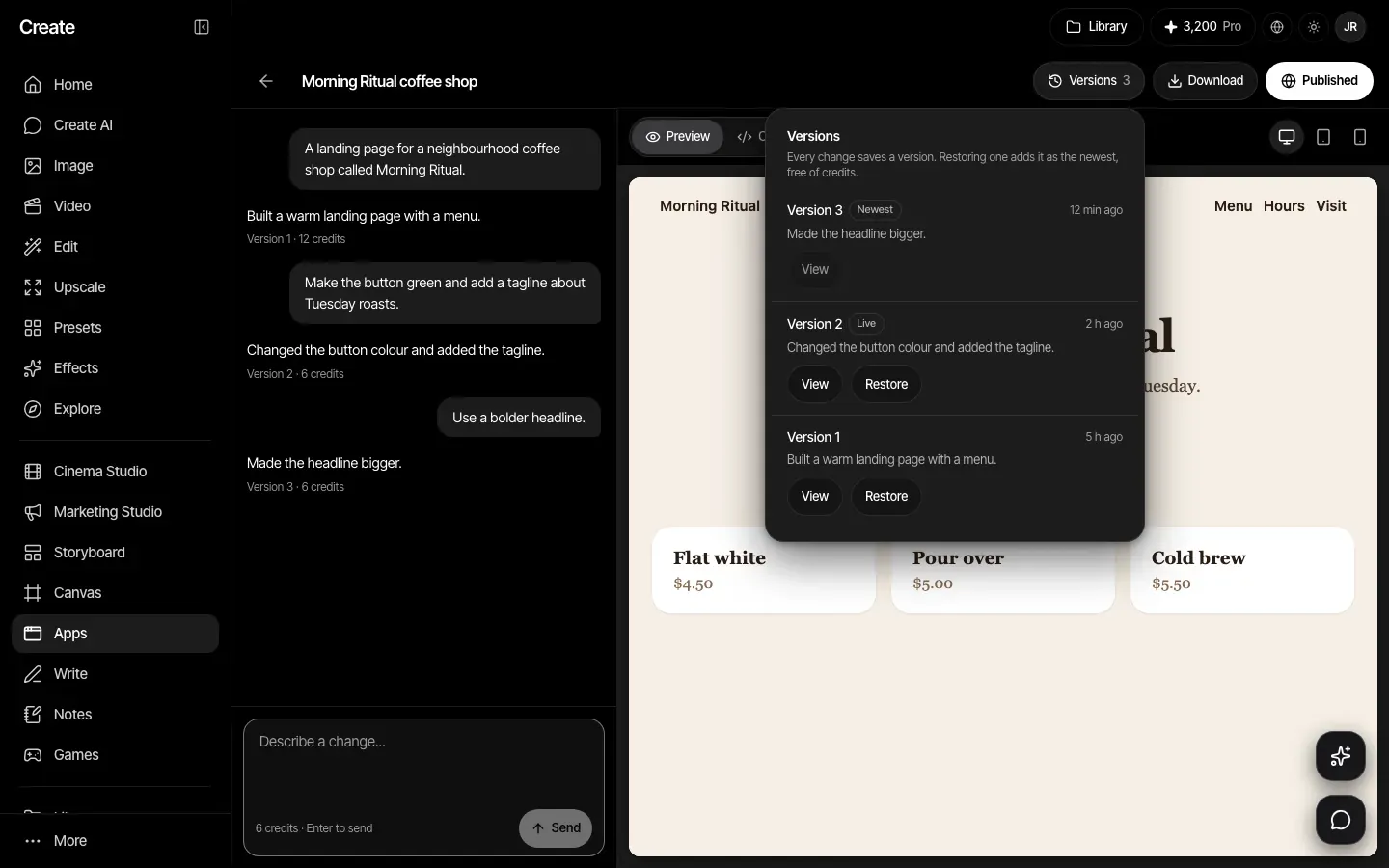
Every change is a version
Each change is saved as a version. Look at any earlier version, or restore it, which adds it back as the newest and costs no credits. Up to 100 versions are kept for each app.
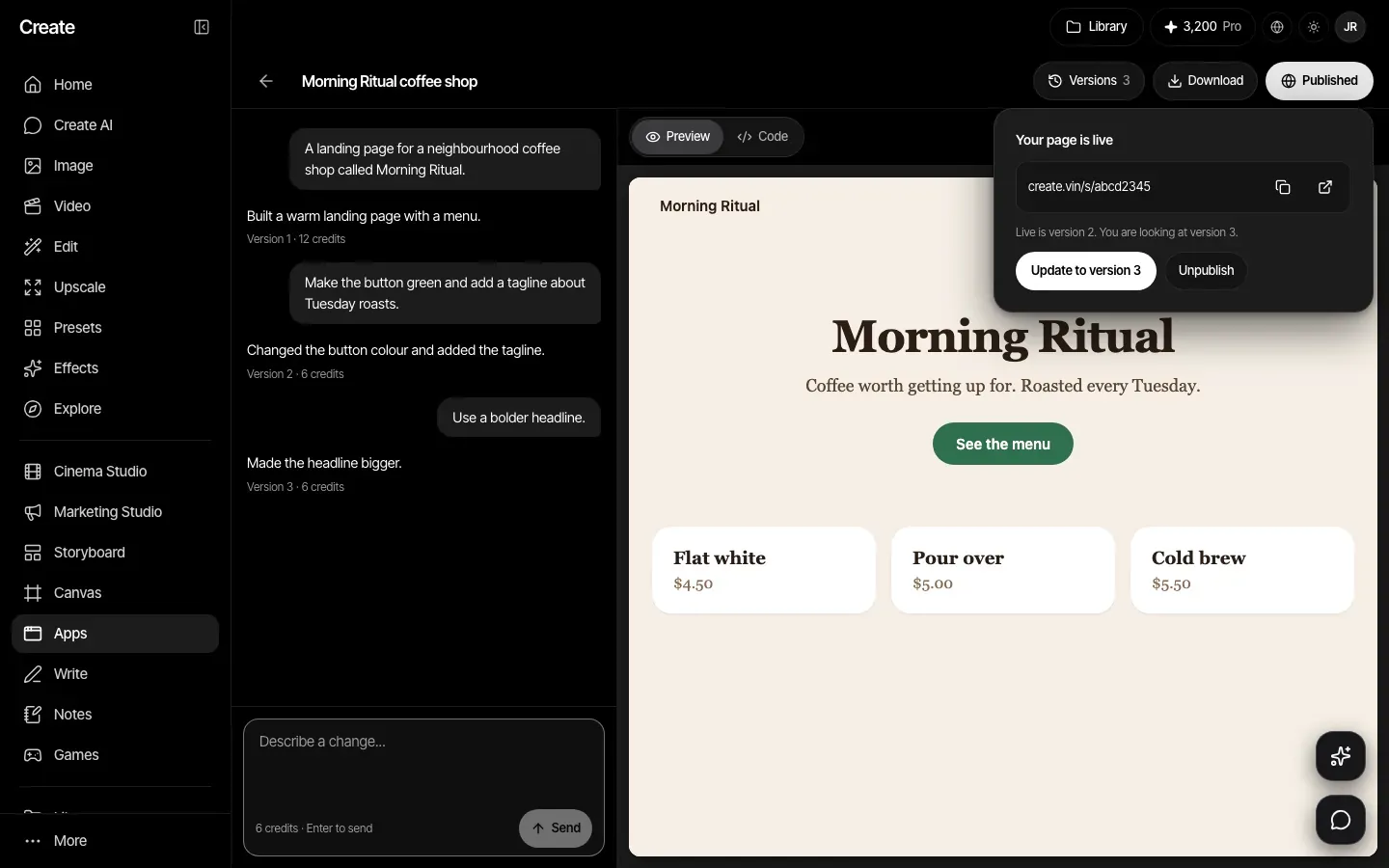
Publish to a link
Publish gives you a public link in the form create.vin/s/ followed by eight letters and numbers. Update the live page to a newer version, or unpublish it. You can also download the file.
Describe it, then change it
Start from an idea such as a coffee shop landing page, a portfolio, a habit tracker or a waitlist page, or write your own. The first build and each change both cost 12 credits. Preview it at desktop, tablet or phone width, or read the code.
How it works
- Step 1
Describe your page
Pick a starter idea or write your own request, up to 4,000 characters.
- Step 2
Chat to change it
Ask for changes in plain words and check them in the live preview.
- Step 3
Publish or download
Publish to a create.vin link, or download the single file and host it yourself.
Plans
The App Builder is on every paid plan: Basic, Pro, Max, Business and Enterprise. A failed build is given back, like every other tool.
Plans start at Basic, $12 a month.
Compare plansVersion 1 limits, stated plainly
- One page only, in a single file of up to 300 KB.
- No custom domain. Published pages live at create.vin/s/ and are not listed by search engines.
- No database and no backend. A published page keeps nothing between visits, and a form on it cannot send data anywhere, so an email box can only show a message.
- Up to 5 published apps at once, and up to 50 apps per account.