

Tell Create AI the goal. It plans, asks, then runs the tools.
Describe what you want, such as a 20 second ad for your coffee shop. Create AI writes a short plan of steps, shows about what each costs, and runs it only after you approve.
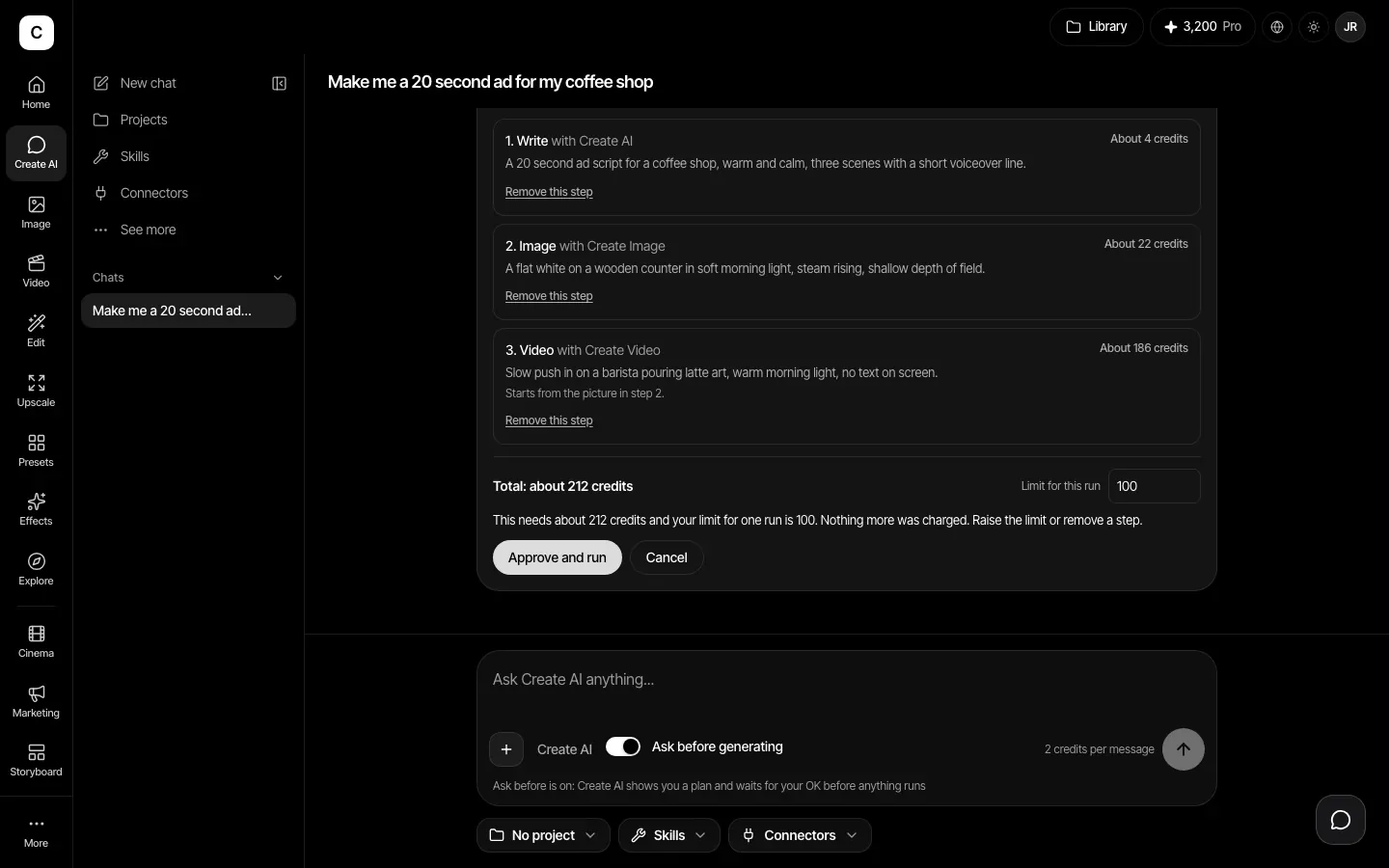
A credit limit on every run
Pick a limit for the run from 50 to 1,000 credits, 300 by default. If a plan needs more than your limit, or more than the credits you have left, it is stopped before it spends. A step that fails is not charged.
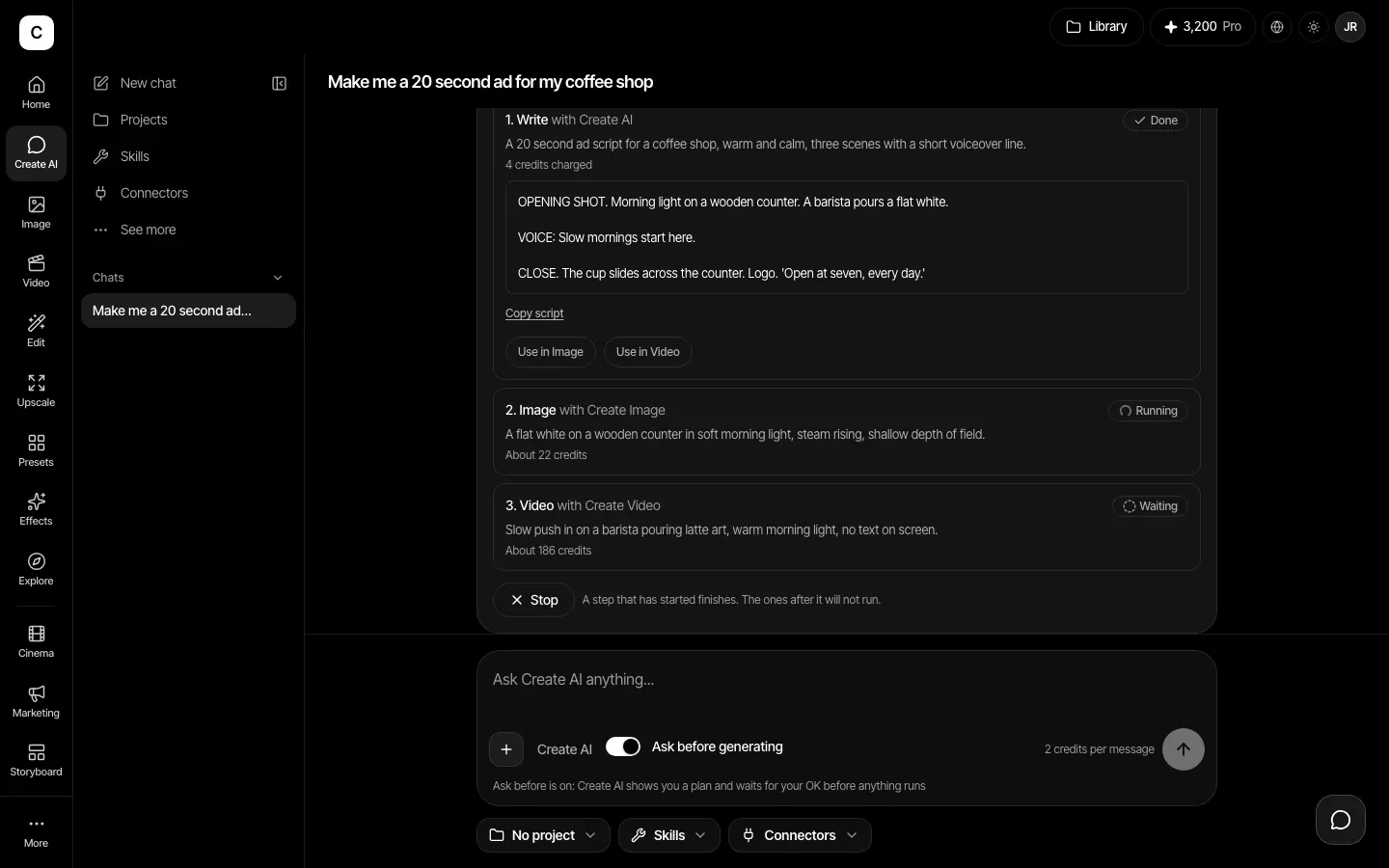
Stop or retry any time
Steps run in order and show their results as they finish. Press Stop and the step that has started finishes, but the ones after it do not run. A step that failed can be retried on its own.
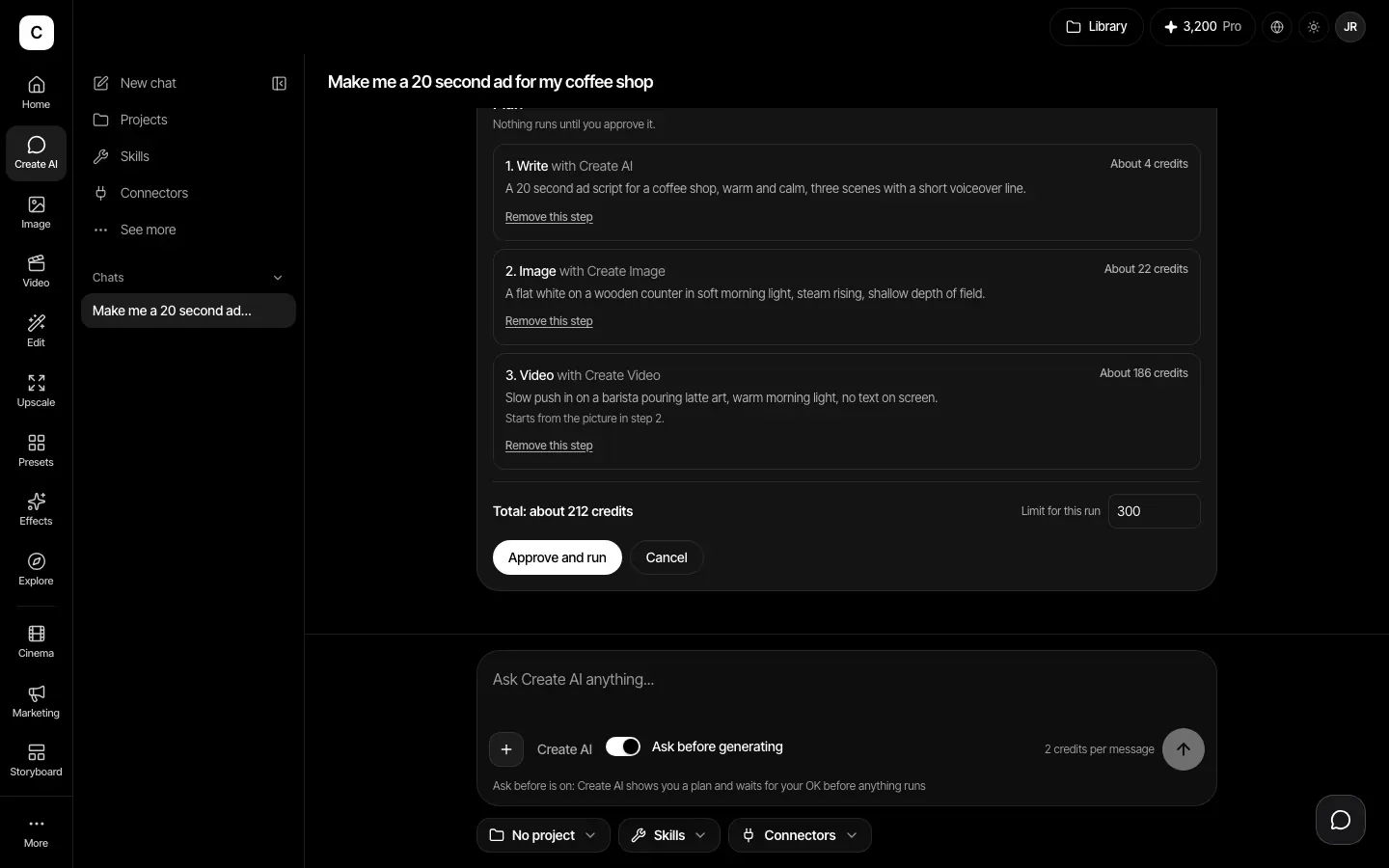
A plan you read before anything runs
Each step names the tool, the model and about how many credits it will use. Remove a step you do not want. With Ask before generating on, nothing runs until you press Approve and run.
Real tools, passing work along
The agent runs Create's own tools: Write, Image, Edit, Upscale and Video. One step can feed the next, for example an image that starts a video. Each finished step has shortcuts to open its result in the matching tool.
How it works
- Step 1
Say what you want
Type the goal in Create AI chat, with Ask before generating switched on.
- Step 2
Check the plan
Read the steps and prices, remove any step, set the limit for the run, then press Approve and run.
- Step 3
Watch it run
Steps run in order and show their results as they finish. Stop whenever you like.
Plans
The agent is on every paid plan: Basic, Pro, Max, Business and Enterprise.
Plans start at Basic, $12 a month.
Compare plansWhat to know
- A run has at most 8 steps.
- Prices on the plan are estimates. The exact price is worked out right before each step runs.
- It only uses a tool that is switched on, and leaves out any that is off.
- If you turn Ask before generating off, runs start without waiting for you, still inside the credit limit.