


Your product.
On a model.
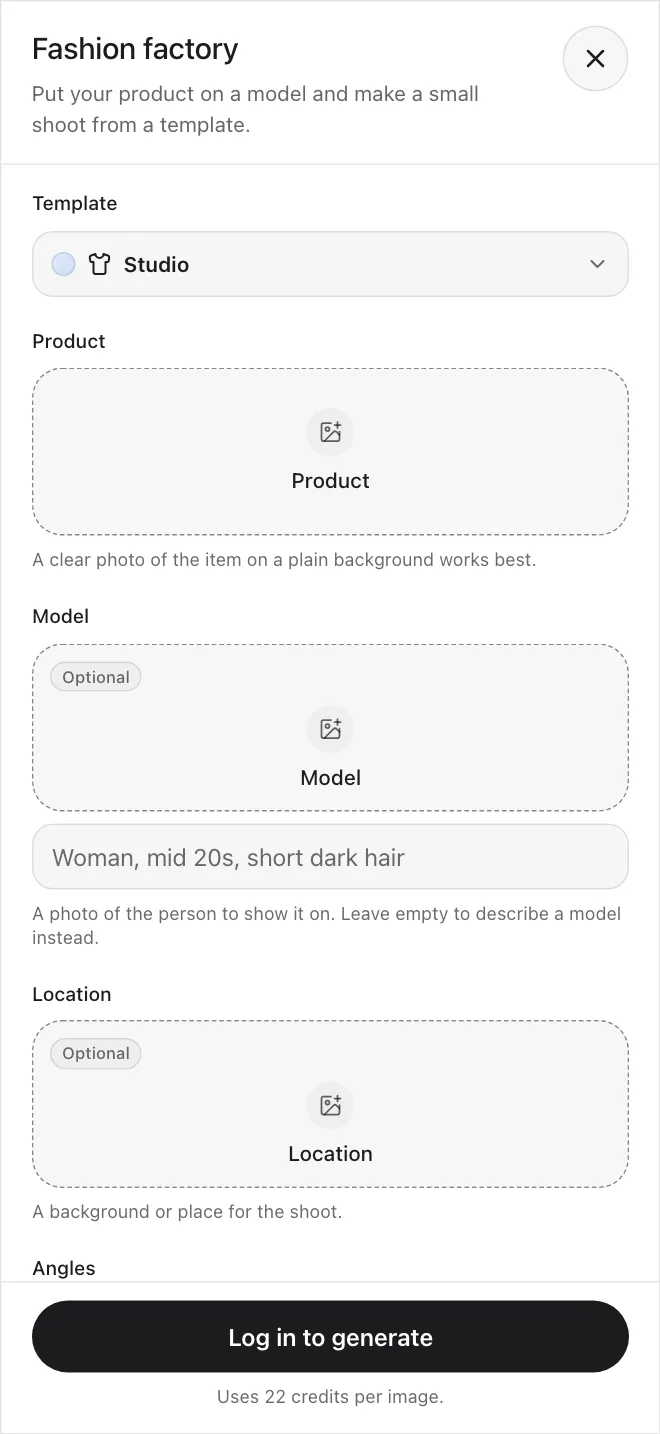
Put your product on a model and generate a small shoot from a template, with front, side, back, and detail angles.
Explore Fashion Factory possibilities
Browse the templates, see the setup behind each one, and use it as a starting point.
Setup
A lookbook-template shoot of a denim jacket on a model, natural light
Template
Lookbook
Combine your product with a model
Use your own product photo and a photo of a model, or describe a model in a few words.
Upload Your Product
Add a photo of the product you want to shoot, then add a model photo or describe the model that will wear or hold it.
“Put this jacket on a model, studio template”
Start From a Product PhotoDescribe a Model
No model photo on hand? Describe the model in a few words, such as age, hair, and look.
“A lookbook shoot of a linen shirt on a relaxed model in natural light”
Start From a TemplateTemplates, angles, and sizes
Every capability, one workspace
Choose a template, add a product, pick your angles, and generate.
Product on a Model
Upload a product photo and put it on a model from a photo or a short description.
ExplorePick a Shoot Template
Start from a studio, editorial, street, lookbook, or campaign template, or let Random pick one.
ExploreYour plan includes commercial use, under our Terms.
Built for product shoots
Combine a product with a model and cover the angles you need without leaving Create.
Combine your product with a model
Upload a product photo and a photo of a model, or describe a model in a few words.
Choose your angles
Pick front, side, back, and detail views. Each angle is its own image, and the cost shows before you start.
Choose a shoot template
Pick a studio, editorial, street, lookbook, or campaign look as a starting point for the scene.
Add a location
Add a photo of a place so the shoot happens in the background you want.
Add a short note
Ask to keep the color or the fit. The model decides how closely it follows.
Pick the model and the size
Choose the image model, the aspect ratio, and 1K, 2K, or 4K.
Every tool works together: shoot, edit, upscale, and animate in one account
Built for every product category
Use it for apparel, footwear, accessories, outerwear, and swimwear.
See example resultsOuterwear
An editorial outerwear look with sculptural lighting and crisp styling.
Generate with CreateShoot your first product
Pick a template and generate your first shot.
Start creatingWhat you get
Start from a product photo
Upload one clear photo of the item and put it on a model without booking a session.
Templates to start from
Studio, editorial, street, lookbook, and campaign looks set the light and the mood.
Cost shown up front
The credit cost appears before you press Generate.
Everything in one subscription
Fashion Factory, Edit, and Upscale use the same monthly credits.
Results kept in your Library
Find your earlier shoots in your Library and History.
Check every shot
The model and the product can look different from shot to shot, so review each result.
We've got a plan for everyone
Simple credit-based pricing. Upgrade, downgrade, or cancel anytime.
Discover even more features
One product, every angle
Add a product, choose your template and angles, and get a set of shots without booking a session.
Frequently Asked Questions
Start creating.