





Plan every scene
before you make a video.
Start with a script or one line per scene. Add reference images, set the framing and the camera motion, and generate every scene together.
A detective enters a rain-soaked alley at night, flashlight cutting through fog. Six scenes, ending at a locked door.
Paid plans only. The credit price shows on the Generate button.
From a script to a set of scenes
Four steps from a plain idea to scenes you can review, redo and download.
- Step 1
Add references
Optional. Upload up to four images to keep the look the same in every scene.
- Step 2
Write your scenes
One short line for each shot, or paste a script and split it into scenes.
- Step 3
Generate
Every scene is made together so they sit side by side. The credit price shows on the button.
- Step 4
Fine tune each shot
Open a scene to rewrite it, redo it, reorder it or remove it.
One story, every scene in order
Set up the story once, then generate every scene from the same references.
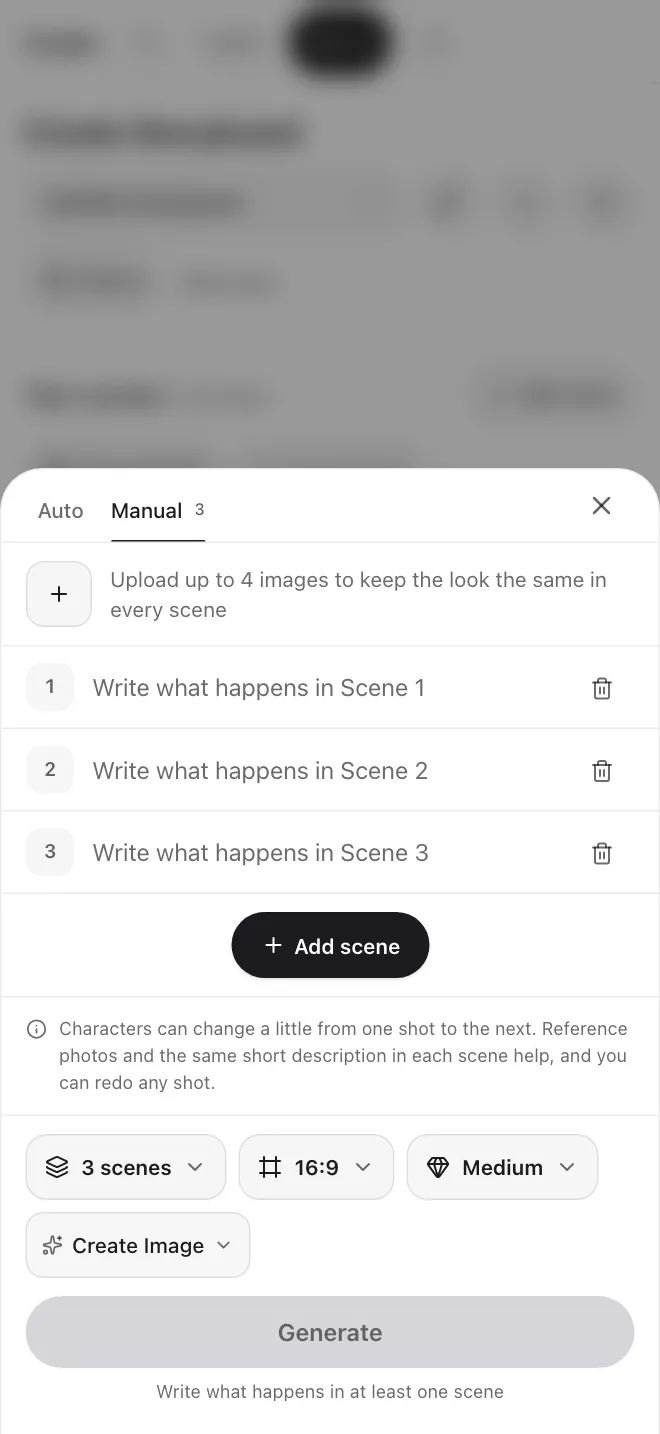
- Auto splits a script into 4 to 8 scenes. Manual lets you write up to 12 scene rows yourself.
- Choose 16:9, 9:16, 1:1, 4:3, or 21:9, and Low, Medium or High quality.
- Add up to four reference images to set the style and color of every scene.
- Copy the shot list or download all your scenes when you are done.
Built for planning a sequence
Everything you need to lay out, check and refine a set of scenes.
Auto and Manual
Paste a script and let Create split it into scenes, or write each scene row by hand and add as many as you need.
Framing and motion
Pick wide, medium, close-up or over the shoulder, then static, pan, push in or handheld for each scene.
Saved characters
Tag a character you saved in Characters. Its photos and note go along with the scene. Faces and clothes can still drift.
Scene editor
Regenerate one scene, edit its prompt, move it earlier or later, duplicate it, delete it, or download it.
Set the camera for every scene
Open any scene and choose its framing and motion, or write the scene again.
Framing
Motion
Real screens from the app
Plan in Storyboard, save a character, and try a look in the Image tool.
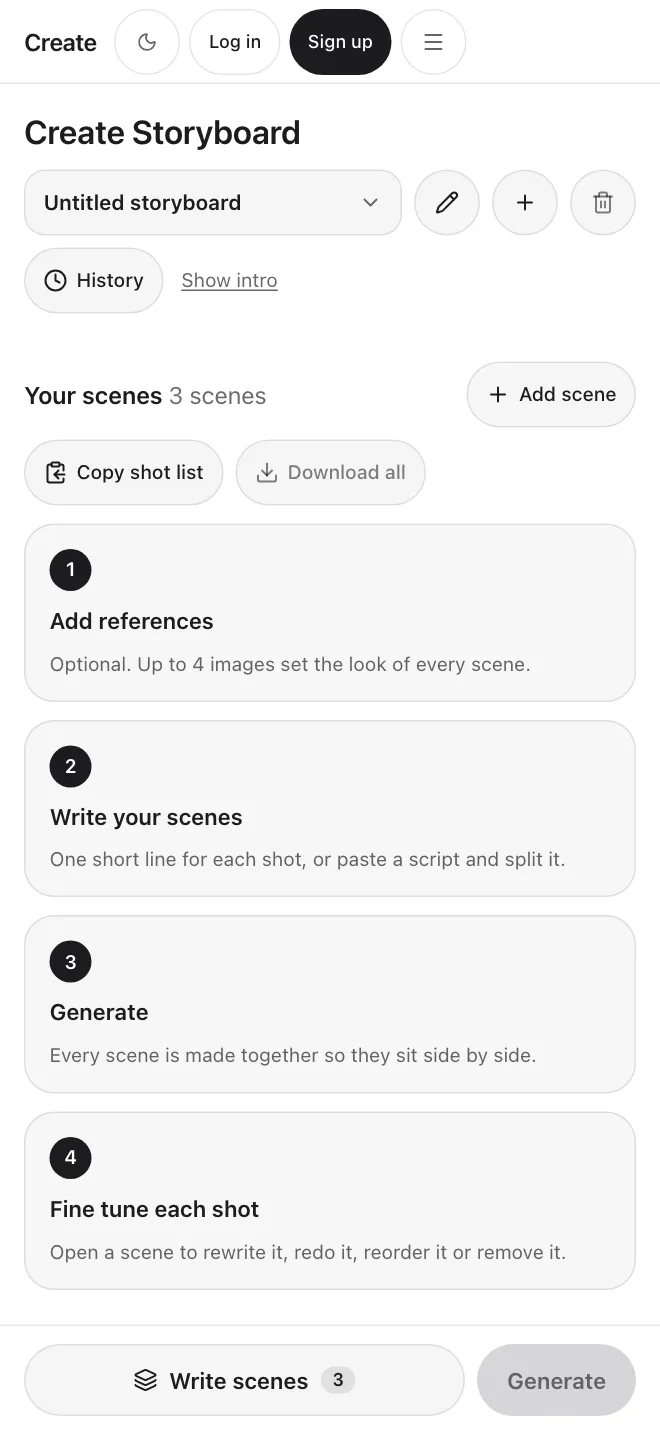
1Your scenes
The scene list with Copy shot list and Generate.
2Write scenes
Auto and Manual tabs, scene rows, ratio and quality.
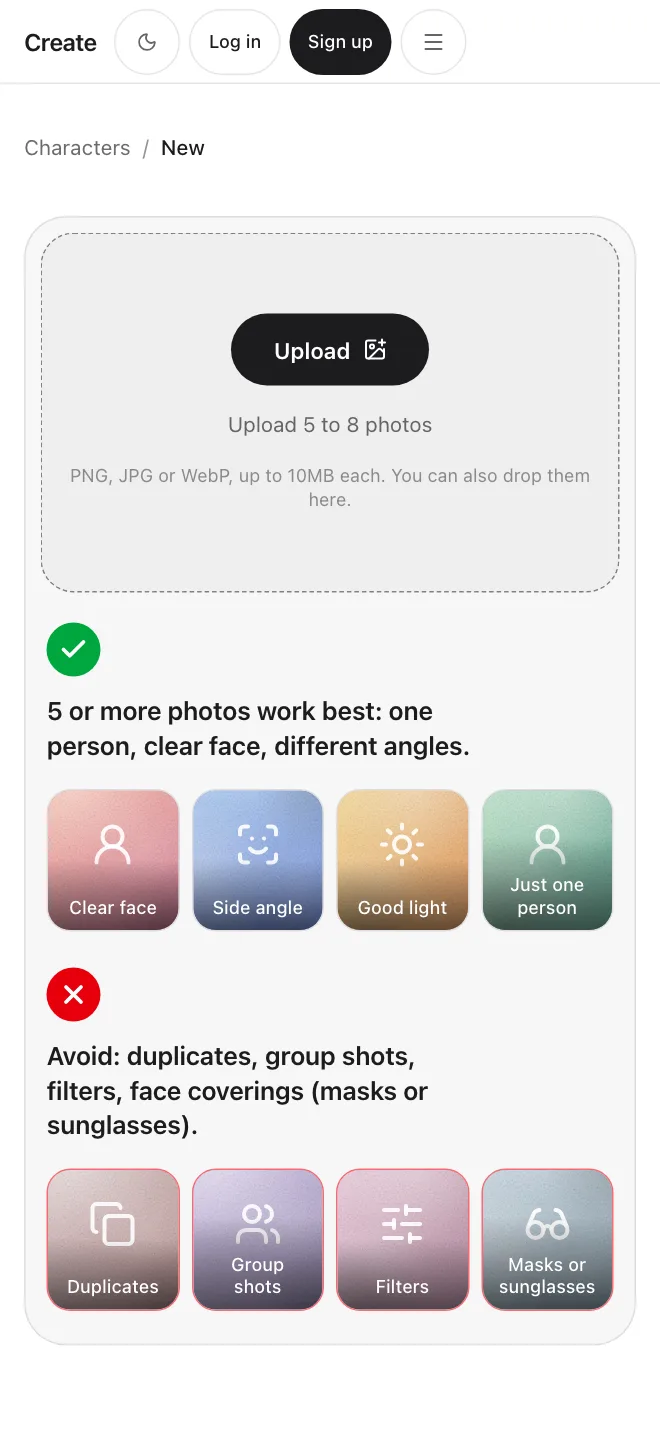
3Save a character
Upload photos once, then tag the character in a scene.
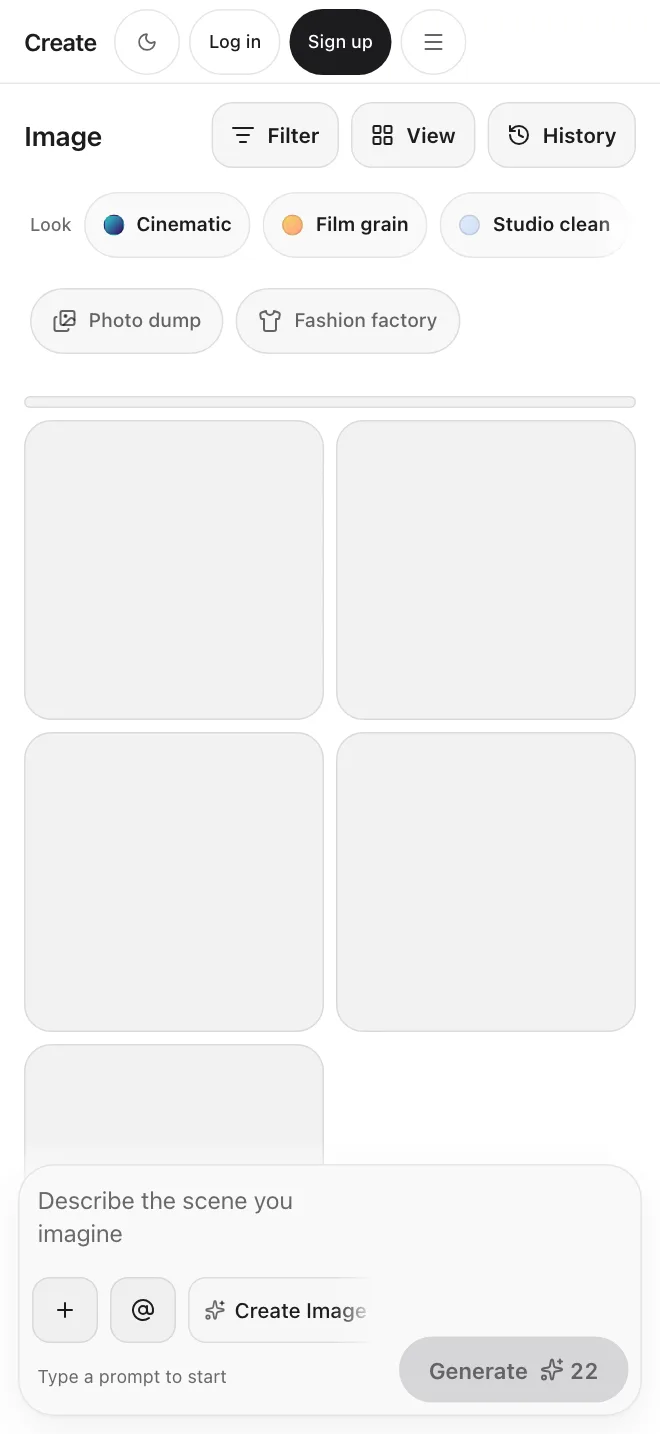
4Image
Try a look in the Image tool first.
Built for every creative workflow
Storyboarding
Rough out scene rhythm, camera angles and action beats before you spend time on video.
Pre-production planning
Plan a short film or campaign scene by scene, then copy the shot list to share for review.
Product placement
Add a product picture as a reference and check how it reads in each scene.
Questions, answered plainly
Plan your next scene.
Write the script, set the scenes, and see the whole sequence before you make a video.
Start a storyboard